API Tokens
API tokens allow external tools to access Kicklet without a browser login. Use them for scripts, stream tools, overlays, integrations, and services that need to call the Kicklet HTTP API.
API tokens currently authenticate the available transitional HTTP endpoints. They are useful for integrations today, but they are not a long-term stability contract for a final public API. Endpoint paths, permissions, request bodies, and response formats may change while Kicklet's dedicated public API is still being designed.
Create a Token
- Open
Profile / Settingsin the Kicklet dashboard. - Find the
API tokenssection. - Select the plus button.
- Enter a name that describes the integration.
- Enable only the permissions the integration needs.
- Generate the token and copy it.
Kicklet only shows the token value when it is created. Store it in the tool or secret manager that will call the API.
Screenshot Walkthrough
The API token controls are in Profile / Settings.

After selecting the plus button, enter a name for the integration and generate the token.
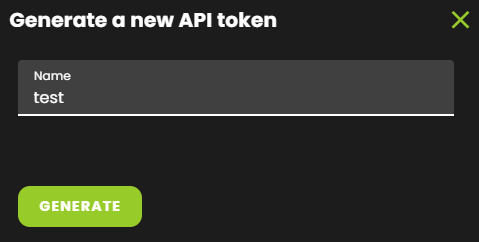
Copy the token with the copy button next to the generated token value.

Use a Token
Send the token in the Authorization header:
Authorization: APIToken YOUR_TOKEN
Example:
curl -X POST "https://kicklet.app/api/kick/message" \
  -H "Authorization: APIToken YOUR_TOKEN" \
  -H "Content-Type: application/json" \
  -d '{"content":"Hello from the Kicklet API"}'
Permissions
Token permissions control what the token can do. For example, a tool that only reads rankings should use stats.view, while a tool that changes point balances also needs stats.update. A tool that sends chat messages needs access to the owner account because it acts as Kicklet in chat.
Use separate tokens for separate tools. If one integration is replaced or leaked, revoke only that token instead of changing every connected tool.
Security
Treat API tokens like passwords. Do not put them in public JavaScript, stream overlays visible to viewers, public repositories, screenshots, or chat messages. Revoke old or leaked tokens immediately.